What Is Web Development?
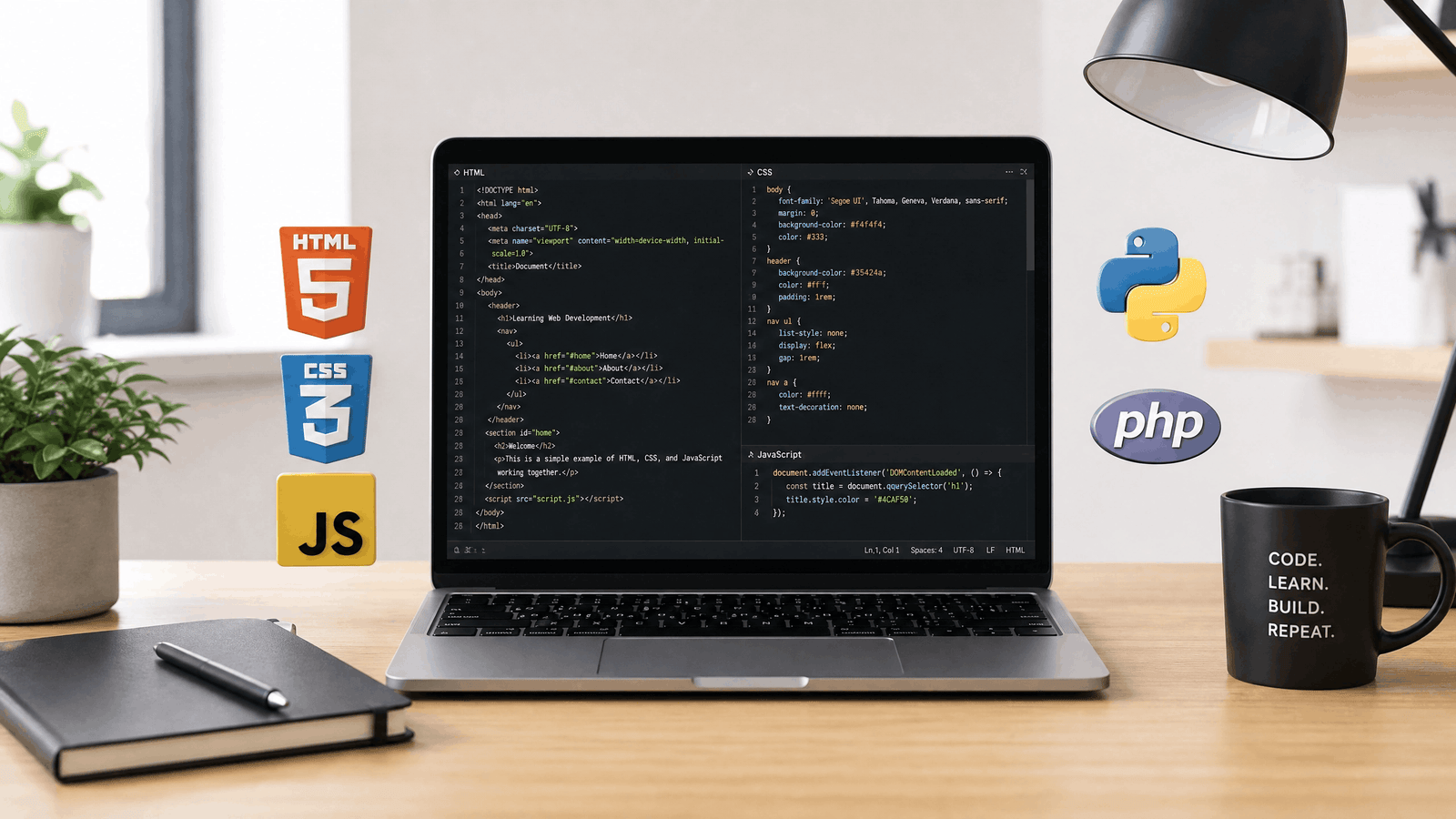
Web development introduction refers to the process of learning how websites and web applications are created, designed, and maintained. It includes front-end development, back-end development, databases, servers, and modern web technologies that work together to deliver fast, secure, and user-friendly online experiences.Web development introduction is the first step toward understanding how modern websites and web applications are built. Whether you want to become a professional web developer, launch your own business website, or simply learn a valuable technical skill, web development offers countless opportunities in today’s digital world.
Many beginners feel overwhelmed by the number of programming languages, frameworks, and tools available. Questions like “Where should I start?” or “Which technology should I learn first?” are common. Without a clear roadmap, learning web development can seem confusing.
The good news is that every successful developer started with the basics. This guide provides a clear web development introduction, helping you understand the essential concepts, technologies, and development process needed to build modern, responsive, and high-performing websites.
Why Web Development Is Important
Websites have become an essential part of modern businesses, education, healthcare, entertainment, and eCommerce. Nearly every organization relies on a website to communicate with customers and provide online services.
Learning web development allows you to:
- Build professional websites
- Create web applications
- Start a freelance career
- Work remotely
- Launch your own online business
- Improve problem-solving skills
- Stay competitive in the technology industry
As businesses continue expanding their digital presence, skilled web developers remain in high demand worldwide.
Understanding the Basics of Web Development
A strong web development introduction begins with understanding the different components that make a website function.
When you visit a website, several technologies work together behind the scenes to display content, process requests, and deliver information quickly.
The main components include:
- Front-end development
- Back-end development
- Databases
- Web servers
- APIs
- Hosting services
- Domain names
Each component plays a unique role in delivering a seamless user experience.
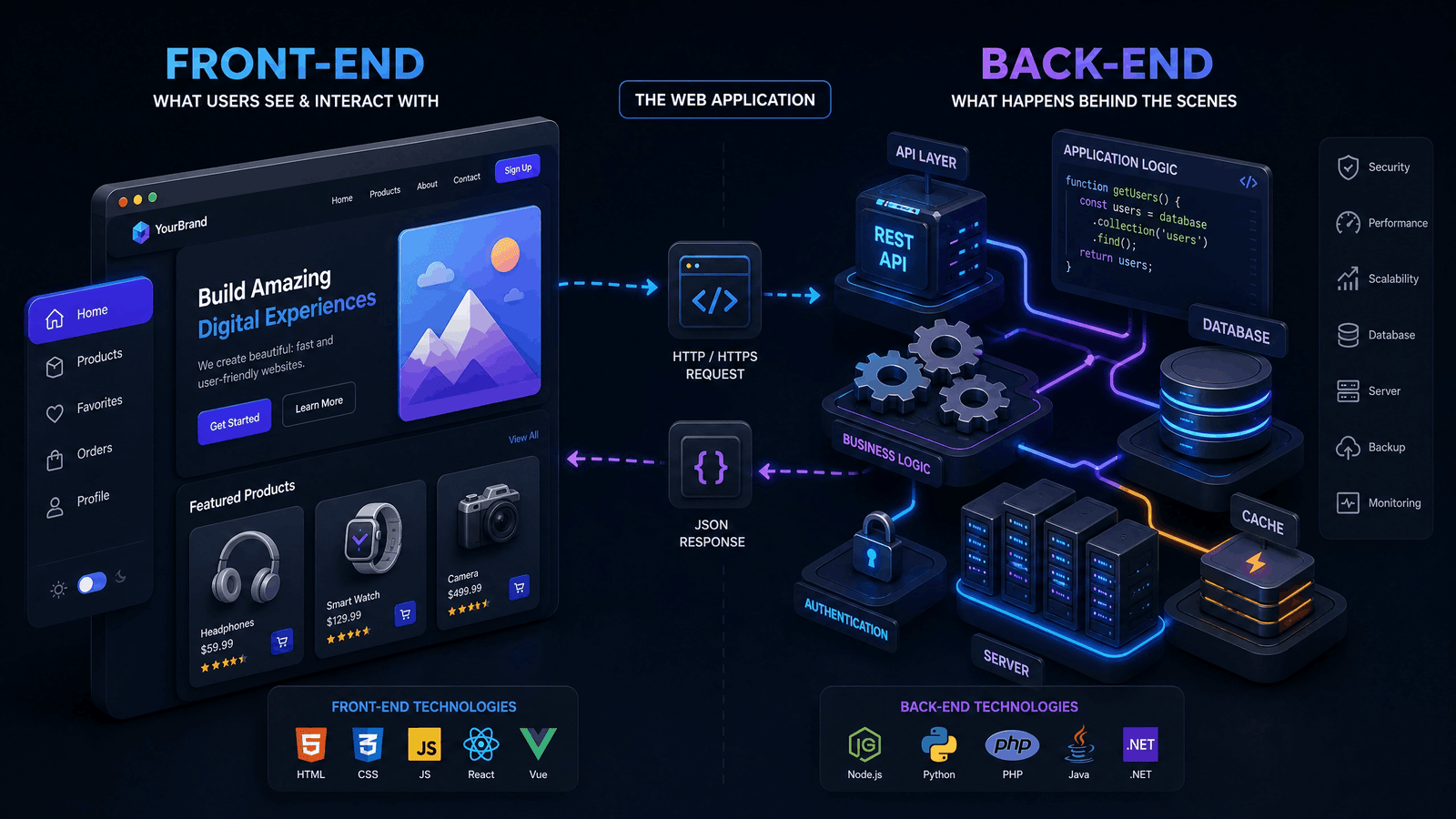
Front-End Development
Front-end development focuses on everything users see and interact with in their web browsers.
Front-end developers build:
- Website layouts
- Navigation menus
- Buttons
- Images
- Forms
- Interactive elements
The primary technologies used include:
- HTML
- CSS
- JavaScript
Their goal is to create websites that are responsive, visually appealing, and easy to use across different devices.
Back-End Development
Back-end development powers everything that happens behind the scenes.
It manages:
- User authentication
- Databases
- Business logic
- Server communication
- Application security
- Data processing
Popular back-end programming languages include:
- PHP
- Python
- Java
- C#
- Node.js
Without back-end development, modern websites would not be able to process data or provide dynamic functionality.
Full-Stack Development
A full-stack developer works on both the front-end and back-end of a website.
Their responsibilities often include:
- Building user interfaces
- Developing server-side logic
- Managing databases
- Creating APIs
- Testing applications
- Deploying websites
Because they understand the complete development process, full-stack developers are highly valued by businesses and startups.
Key Technologies Used in Web Development
A successful web development introduction should also explain the technologies that form the foundation of modern websites.
| Technology | Purpose |
|---|---|
| HTML | Creates the structure of a webpage |
| CSS | Styles and designs webpages |
| JavaScript | Adds interactivity and dynamic features |
| PHP | Handles server-side development |
| Python | Builds scalable web applications |
| MySQL | Stores and manages website data |
| Git | Tracks code changes |
| GitHub | Supports version control and collaboration |
Learning these technologies gradually will provide a strong foundation for advanced web development.
Common Types of Websites
Web development is used to build many different types of websites, including:
- Business websites
- Portfolio websites
- Blogs
- eCommerce stores
- Educational platforms
- News websites
- Social networking platforms
- Government portals
- Healthcare websites
- Booking systems
Each website type has different design, functionality, and security requirements.
Essential Skills Every Beginner Should Learn
If you’re starting your web development introduction journey, focus on developing these core skills:
- Problem-solving
- Logical thinking
- Basic programming
- HTML and CSS
- JavaScript fundamentals
- Responsive design
- Version control with Git
- Basic SEO knowledge
- Debugging techniques
- Communication and teamwork
Mastering these fundamentals will make it easier to learn advanced frameworks and programming languages later.
Benefits of Learning Web Development
A strong web development introduction is more than just learning programming languages. It opens the door to countless personal and professional opportunities. As businesses continue expanding their online presence, skilled web developers remain in high demand across industries.
Whether you’re a student, freelancer, entrepreneur, or career changer, learning web development can provide long-term value.
Some of the biggest benefits include:
- High demand in the job market
- Opportunities to work remotely
- Competitive salary potential
- Freelancing and consulting opportunities
- Ability to build personal projects
- Continuous learning and career growth
- Strong problem-solving and analytical skills
These advantages make web development one of the most rewarding technology careers today.
Career Opportunities in Web Development
After completing your web development introduction, you can specialize in different areas depending on your interests and skills.
Popular career paths include:
H3: Front-End Developer
Front-end developers create the visual and interactive elements of a website using HTML, CSS, JavaScript, and modern frameworks like React or Vue.js.
Their primary focus is delivering an excellent user experience.
Back-End Developer
Back-end developers build the server-side logic that powers websites and web applications.
They work with:
- Databases
- APIs
- Authentication systems
- Business logic
- Server management
Popular languages include PHP, Python, Java, C#, and Node.js.
Full-Stack Developer
Full-stack developers handle both front-end and back-end development.
Because they understand the complete development cycle, they are highly valued by startups and growing businesses.
WordPress Developer
WordPress developers build custom websites, themes, and plugins for businesses, bloggers, and eCommerce stores.
This role is especially popular among freelancers due to the large demand for WordPress websites.
UI/UX Developer
UI/UX developers focus on creating websites that are visually appealing, easy to navigate, and accessible to users on different devices.
Pros and Cons of Web Development
Every career has its advantages and challenges. Understanding both sides helps beginners set realistic expectations.
| Pros | Cons |
|---|---|
| High global demand | Continuous learning required |
| Flexible work opportunities | Can involve long hours during projects |
| Freelancing potential | Debugging complex issues can be time-consuming |
| Excellent career growth | Technology changes rapidly |
| Opportunity to build your own business | Competitive job market for beginners |
| Creative and technical work combined | Requires patience and persistence |
Overall, the benefits often outweigh the challenges for individuals who enjoy learning and problem-solving.
Common Challenges for Beginners
Many people start learning web development introduction with enthusiasm but encounter obstacles along the way.
Common challenges include:
Information Overload
With countless tutorials, courses, and frameworks available, beginners often struggle to decide what to learn first.
Solution: Follow a structured learning roadmap and master the fundamentals before exploring advanced topics.
Lack of Practical Experience
Watching tutorials alone isn’t enough to build real-world skills.
Solution: Create small projects such as:
- Personal portfolio website
- Business landing page
- Blog homepage
- To-do list application
- Weather app
Hands-on practice accelerates learning.
Giving Up Too Early
Programming errors and debugging are part of every developer’s journey.
Solution: Treat mistakes as learning opportunities and practice consistently.
Real-World Case Study
Scenario
A university student wanted to build an online portfolio to showcase academic projects and improve employment opportunities.
Approach
After completing a web development introduction, the student learned HTML, CSS, and JavaScript before building a responsive portfolio website that included:
- Personal profile
- Skills section
- Project gallery
- Contact form
- Resume download
- Responsive design
Results
Within a few months, the portfolio helped the student:
- Demonstrate practical development skills
- Attract freelance opportunities
- Build professional confidence
- Improve coding experience
- Create a strong online presence
This example highlights how learning the fundamentals can lead to real career opportunities.
Beginner’s Web Development Checklist
Use this checklist as you continue your learning journey:
Learn HTML fundamentals.
Master CSS layouts and styling.
Practice JavaScript regularly.
Build responsive websites.
Learn Git and GitHub.
Understand basic SEO principles.
Explore a back-end programming language.
Practice working with databases.
Create real-world projects.
Publish your projects online.
Following these steps consistently will strengthen your skills and prepare you for professional web development roles.
Expert Tips for Long-Term Success
If you want to grow beyond the basics, focus on continuous improvement.
Here are some expert recommendations:
- Build projects instead of only watching tutorials.
- Write clean, reusable, and well-documented code.
- Learn version control with Git.
- Improve debugging and testing skills.
- Stay updated with modern web technologies.
- Join developer communities and contribute to open-source projects.
- Focus on user experience and website accessibility.
- Continue learning new frameworks after mastering the fundamentals.
Building a successful career takes time, but consistent practice leads to steady progress.
Expert Insight
A solid web development introduction provides the foundation for everything you’ll learn in the future. Rather than chasing every new programming language or framework, focus on understanding core concepts, writing clean code, and solving real-world problems. As your experience grows, you’ll be able to adapt to new technologies more easily and create websites that are fast, secure, responsive, and user-friendly.
The Complete Web Development Process
A successful website is created through a structured development process rather than writing code randomly. Understanding each stage is an essential part of a web development introduction because it helps beginners build organized, efficient, and user-friendly websites.
Most professional web development projects follow these steps:
- Planning and research
- Wireframing and design
- Front-end development
- Back-end development
- Database integration
- Testing and debugging
- Deployment
- Maintenance and updates
Following this workflow reduces errors and improves the overall quality of the website.
Planning and Requirement Analysis
Every successful website starts with a clear plan.
Before writing any code, developers identify:
- Project goals
- Target audience
- Website features
- Content requirements
- Design preferences
- Budget and timeline
Proper planning saves time and prevents costly changes later in the project.
Website Design and Wireframing
Wireframes act as the blueprint of a website.
They help developers and designers decide:
- Page layouts
- Navigation structure
- Button placement
- Content sections
- User flow
After wireframing, designers create visual mockups that define the website’s appearance and user experience.
Development Phase
Once the design is approved, developers begin building the website.
The front-end developer converts the design into a responsive interface using HTML, CSS, and JavaScript.
Meanwhile, the back-end developer develops the server-side functionality, manages databases, and creates APIs that connect different parts of the application.
This stage is where the concepts learned in a web development introduction become practical skills.
Testing and Deployment
Before launching a website, developers perform extensive testing.
Testing includes:
- Mobile responsiveness
- Browser compatibility
- Website speed
- Security checks
- Form validation
- Broken links
- Performance optimization
After successful testing, the website is deployed to a live hosting server where users can access it online.
Front-End vs. Back-End Development
Understanding the difference between front-end and back-end development is one of the most important topics in a web development introduction.
| Front-End Development | Back-End Development |
|---|---|
| Focuses on user interface | Focuses on server-side logic |
| Uses HTML, CSS, JavaScript | Uses PHP, Python, Java, Node.js, C# |
| Handles website appearance | Processes data and requests |
| Runs in the browser | Runs on the server |
| Improves user experience | Manages application functionality |
Both work together to create modern, interactive websites.
Popular Web Development Frameworks
Frameworks simplify development by providing reusable code, built-in features, and efficient workflows.
Some popular front-end frameworks include:
- React
- Angular
- Vue.js
Popular back-end frameworks include:
- Laravel
- Django
- Express.js
- ASP.NET Core
- Spring Boot
Beginners should first master the fundamentals before moving to frameworks.
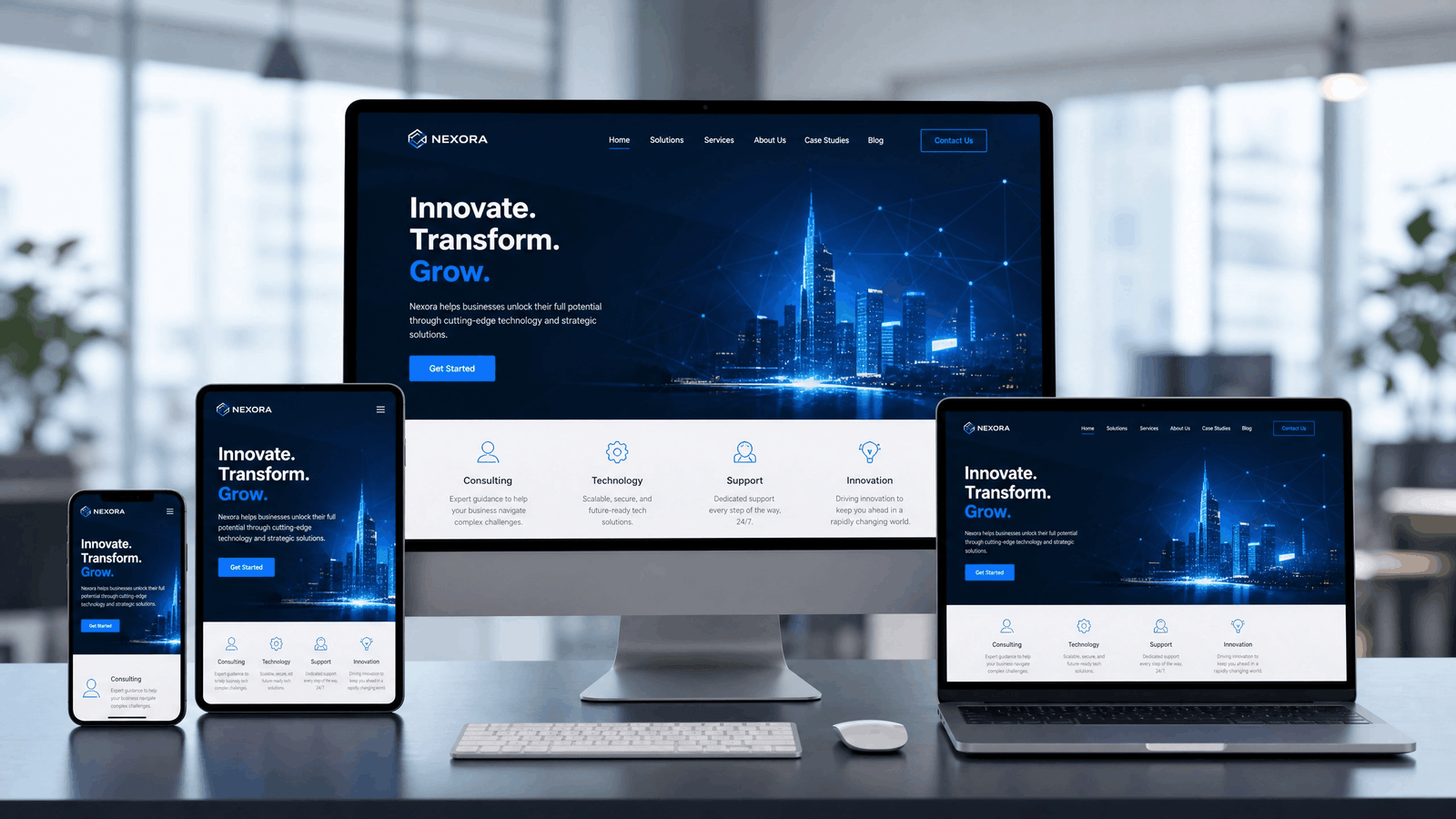
Responsive Web Design
Modern users browse websites on desktops, laptops, tablets, and smartphones. A responsive website automatically adjusts its layout to fit different screen sizes.
Benefits of responsive design include:
- Better user experience
- Faster page loading
- Improved accessibility
- Lower bounce rates
- Better search engine visibility
- Easier maintenance
Responsive design has become a standard practice in modern web development.
Website Hosting and Domain Names
A web development introduction is incomplete without understanding hosting and domain names.
A domain name is your website’s address on the internet, such as:
www.example.com
Web hosting stores your website files on a server, making them accessible to users around the world.
Popular hosting options include:
- Shared hosting
- VPS hosting
- Cloud hosting
- Dedicated servers
- Managed WordPress hosting
Selecting reliable hosting improves website performance, security, and uptime.
Common Beginner Mistakes
New developers often make mistakes that slow their learning progress.
Avoid these common errors:
Learning Too Many Technologies at Once
Focus on mastering one technology before moving to another.
Ignoring Responsive Design
Always test your website on different devices.
Writing Unorganized Code
Use proper indentation, meaningful file names, and clear comments to improve readability.
Forgetting Website Security
Protect user data by using HTTPS, validating input, and keeping software updated.
Not Practicing Regularly
Reading tutorials is helpful, but building projects is the fastest way to improve your development skills.
Best Practices for Web Development
Following professional standards helps create secure, maintainable, and high-performing websites.
Best practices include:
- Write clean and organized code.
- Optimize website loading speed.
- Use semantic HTML.
- Keep software and frameworks updated.
- Compress images before uploading.
- Test websites across multiple browsers.
- Implement accessibility standards.
- Create mobile-friendly layouts.
- Regularly back up your website.
- Document your code for easier maintenance.
Applying these practices from the beginning builds good development habits and prepares you for larger projects.
Real-World Example
Imagine a small local restaurant that wants to attract more customers online.
Instead of relying only on social media, the business launches a responsive website featuring:
- Online menu
- Table reservation form
- Contact information
- Customer reviews
- Google Maps integration
As a result, customers can easily find the restaurant, explore its offerings, and book tables online. This example shows how the concepts covered in a web development introduction can solve real business challenges and improve customer engagement.
Frequently asked Questions
Conclusion
A strong web development introduction is the foundation of every successful developer’s journey. By learning HTML, CSS, JavaScript, responsive design, and development best practices, you can build modern, secure, and user-friendly websites. Focus on mastering the fundamentals, creating real-world projects, and continuously improving your skills. With dedication and consistent practice, web development can lead to rewarding career opportunities, freelancing success, and the ability to create powerful digital experiences.
What is the difference between web design and web development?
Web design focuses on the appearance and user experience of a website, while web development focuses on building the website’s functionality using programming languages and frameworks.
Is web development difficult for beginners?
No. While there is a learning curve, beginners can learn web development successfully by starting with HTML, CSS, and JavaScript before moving to advanced technologies like React, Node.js, or PHP.
Which programming language should I learn first?
For most beginners, the recommended learning path is:
- HTML
- CSS
- JavaScript
After mastering these fundamentals, you can explore back-end languages such as PHP, Python, Java, or C#.
How long does it take to learn web development?
The timeline depends on your learning schedule and goals. With consistent practice, many beginners can build simple websites within 2–3 months and become job-ready in 6–12 months.
Can I become a web developer without a degree?
Yes. Many professional web developers are self-taught or have completed online courses and practical projects. A strong portfolio often matters more than a formal degree.