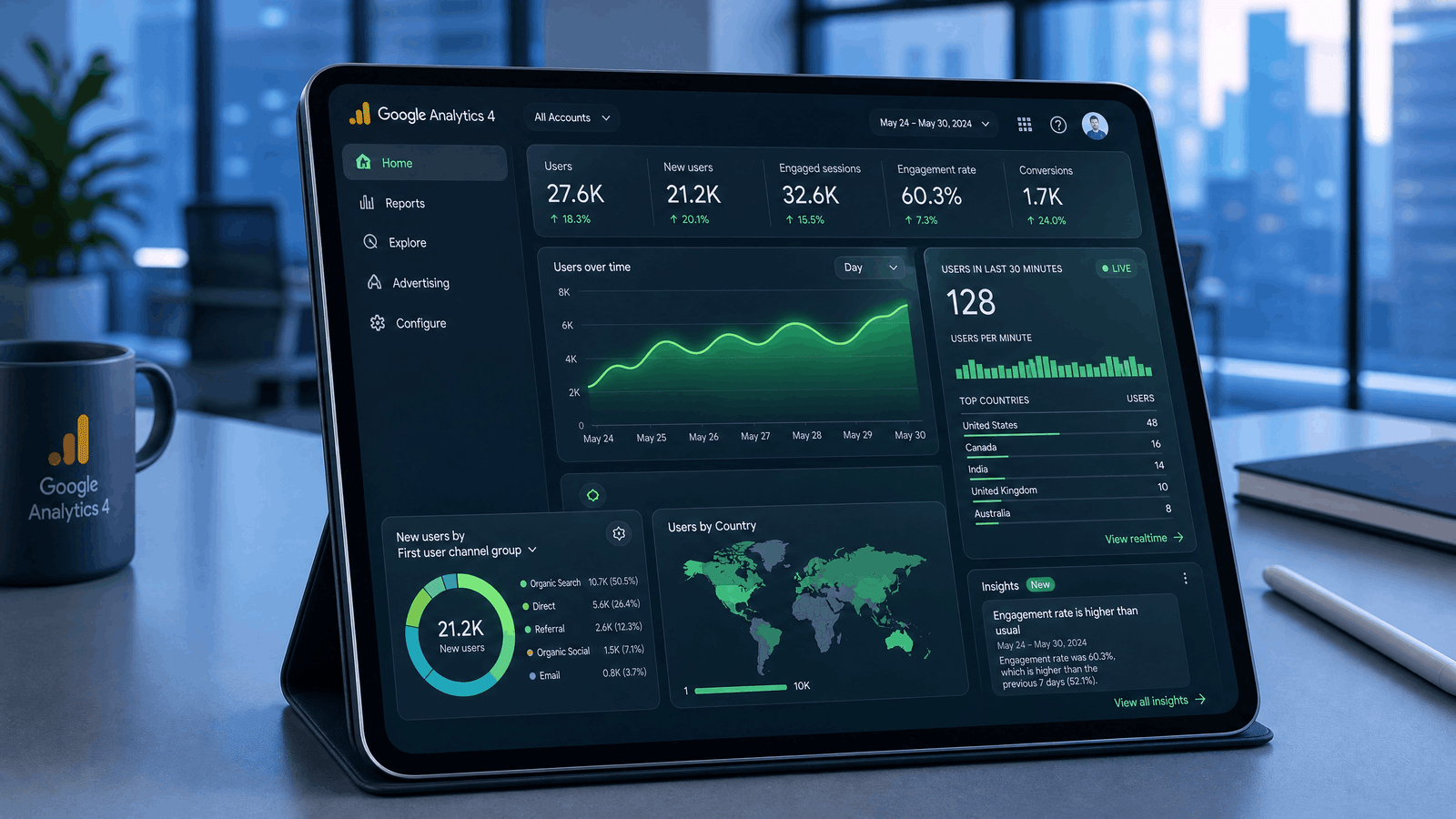
How to Set Up Search Engine Optimization Google Analytics
Setting up search engine optimization Google Analytics correctly is the first step toward making data-driven SEO decisions. A proper configuration ensures you collect accurate information about your visitors, traffic sources, and user behavior.
If you’re using Google Analytics 4 (GA4), follow these steps to get started.
Step 1: Create a Google Analytics 4 Property
Visit the Google Analytics dashboard and create a new GA4 property for your website.
During setup, you’ll need to:
- Enter your website name
- Select your time zone
- Choose your business category
- Configure your data stream
Once completed, Google will generate a unique Measurement ID that connects your website to Google Analytics.
Step 2: Install the Tracking Code
After creating your property, install the GA4 tracking code on every page of your website.
Depending on your platform, you can do this by:
- Adding the tracking code manually
- Using Google Tag Manager
- Installing an SEO or analytics plugin
- Using your website builder’s analytics integration
Accurate tracking is essential because incomplete data can lead to incorrect SEO decisions.
Step 3: Connect Google Search Console
One of the best ways to improve search engine optimization Google Analytics reporting is by connecting Google Search Console.
This integration helps you analyze:
- Organic search performance
- Landing pages
- Click-through rates (CTR)
- Search queries
- Average search position
Together, these tools provide a more complete picture of your website’s SEO performance.
Essential Google Analytics Reports for SEO
Google Analytics offers dozens of reports, but not all are equally important for SEO. Focus on the reports that directly support your optimization efforts.
Traffic Acquisition Report
This report shows where your visitors come from.
Key traffic channels include:
- Organic Search
- Direct
- Referral
- Social
- Paid Search
For SEO, pay close attention to Organic Search, as it reflects traffic generated through unpaid search engine results.
Landing Page Report
Landing pages are often the first pages users see after clicking your website in search results.
Review this report to identify:
- Pages generating the most organic traffic
- High-performing content
- Pages with low engagement
- Opportunities to update older content
Optimizing your strongest landing pages can significantly improve overall SEO performance.
Engagement Report
The Engagement Report helps measure how visitors interact with your content.
Important metrics include:
- Engaged sessions
- Average engagement time
- Events
- Conversions
High engagement usually indicates that your content matches user intent, which supports long-term SEO success.
Conversion Report
SEO isn’t just about attracting visitors—it’s about achieving meaningful outcomes.
Track conversions such as:
- Contact form submissions
- Newsletter sign-ups
- Product purchases
- Appointment bookings
- Quote requests
These insights help determine whether your SEO strategy contributes to business growth.
How Google Analytics Improves SEO Performance
Using search engine optimization Google Analytics effectively allows you to make smarter optimization decisions based on real user data.
Identify High-Performing Content
Pages that consistently attract organic traffic can serve as models for future content.
Analyze what makes these pages successful, including:
- Topic relevance
- Content structure
- Internal links
- User engagement
- Conversion performance
Then apply similar strategies to new content.
Improve Underperforming Pages
Google Analytics can reveal pages that receive traffic but have poor engagement or low conversions.
Possible improvements include:
- Updating outdated information
- Improving page speed
- Adding internal links
- Enhancing content quality
- Optimizing headings
- Improving calls-to-action
Small improvements can produce meaningful gains over time.
Discover User Interests
Audience reports help you understand:
- User locations
- Devices
- Browsers
- Age groups
- Interests
- Returning visitors
Knowing your audience enables you to create content that better matches their needs.
Common Google Analytics Mistakes
Many website owners collect valuable data but fail to use it effectively.
Avoid these common mistakes:
 Focusing Only on Traffic
High traffic doesn’t always mean success.
Always evaluate:
- Engagement
- Conversions
- User behavior
- Content quality
Ignoring Mobile Users
Most organic traffic now comes from mobile devices.
Review mobile engagement metrics regularly to ensure your website performs well across all screen sizes.
Not Tracking Conversions
Without conversion tracking, it’s difficult to measure whether your SEO efforts generate real business value.
Always configure important events and goals.
Overlooking Returning Visitors
Returning users often indicate valuable content and strong brand trust.
Monitor how frequently users return to your website and which pages encourage repeat visits.
Best Practices for Search Engine Optimization Google Analytics
Follow these proven recommendations to maximize the value of your analytics data.
- Review reports weekly.
- Compare performance over different time periods.
- Monitor organic traffic trends.
- Track conversions alongside rankings.
- Update high-performing content regularly.
- Improve pages with declining traffic.
- Connect Google Search Console.
- Use custom reports for SEO monitoring.
- Segment users by traffic source.
- Base SEO decisions on data rather than assumptions.
Comparison: Google Analytics vs Other SEO Tracking Tools
| Feature | Google Analytics 4 | SEO Platforms |
|---|---|---|
| User Behavior | Excellent | Limited |
| Organic Traffic Analysis | Excellent | Good |
| Keyword Tracking | Limited | Excellent |
| Conversion Tracking | Excellent | Moderate |
| Audience Insights | Excellent | Limited |
| Technical SEO Audits | No | Yes |
| Backlink Analysis | No | Yes |
The most effective SEO strategy combines Google Analytics with dedicated SEO tools to gain a complete understanding of website performance.
Expert Insight
The true value of search engine optimization Google Analytics lies in turning data into action. Rather than checking reports occasionally, build a routine of reviewing key metrics, identifying trends, and making continuous improvements. Over time, this data-driven approach can lead to stronger organic visibility, better user engagement, and more meaningful business results.
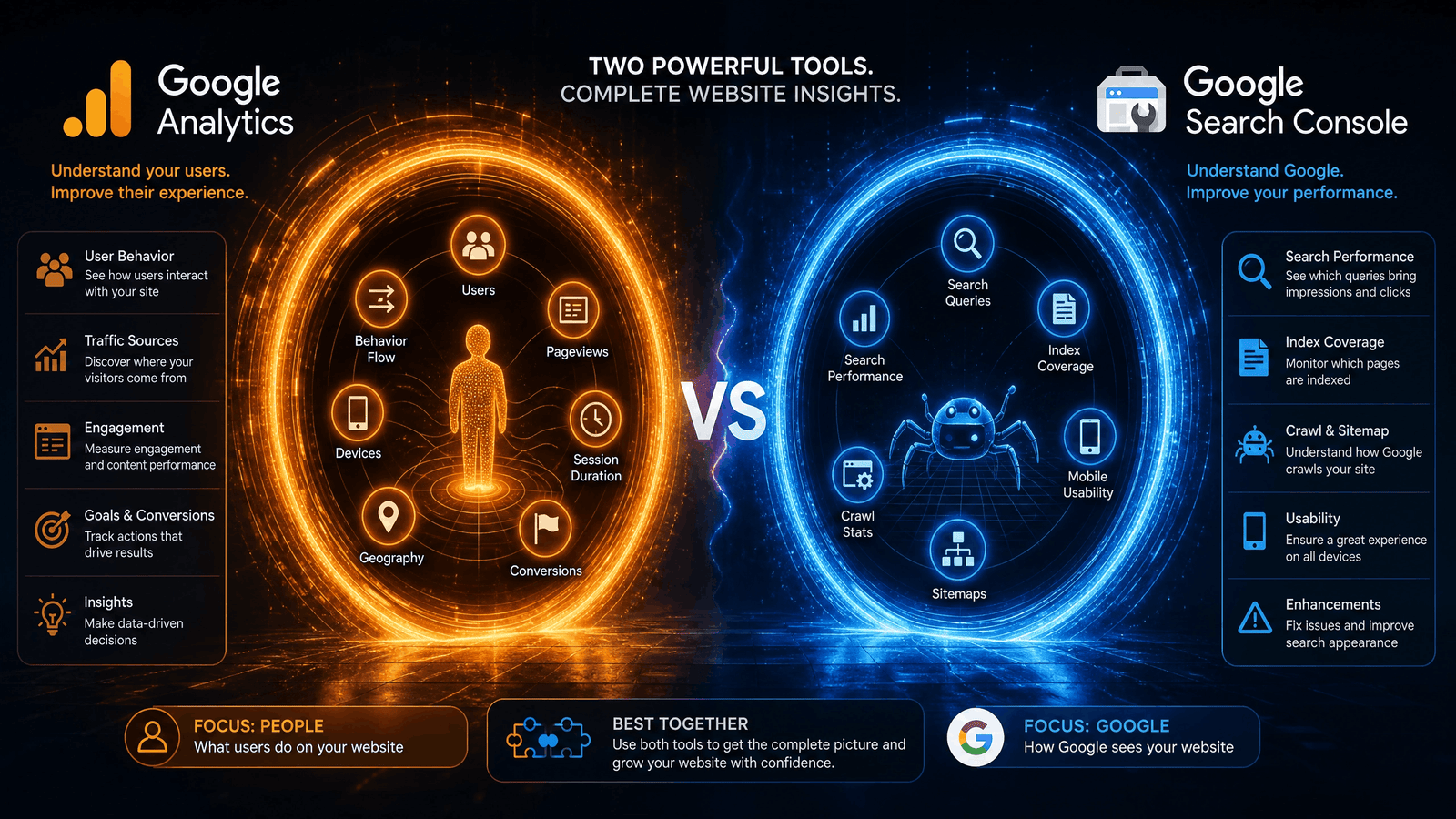
Advanced Search Engine Optimization Google Analytics Strategies
Once you’ve mastered the basics, the next step is using search engine optimization Google Analytics to uncover deeper insights that improve your SEO strategy. Google Analytics 4 (GA4) provides advanced reporting features that help you understand user behavior, measure content performance, and make informed optimization decisions.
Instead of focusing only on traffic numbers, use your analytics data to identify opportunities for long-term organic growth.
Create Custom SEO Dashboards
Standard reports are helpful, but custom dashboards allow you to monitor your most important SEO metrics in one place.
A useful SEO dashboard should include:
- Organic traffic
- Top landing pages
- Engagement rate
- Average engagement time
- Conversions
- Returning users
- Traffic by device
- Traffic by country
- Events and goal completions
Reviewing these metrics regularly helps you identify trends and respond quickly to changes in performance.
Segment Organic Traffic
Not all visitors behave the same way. Segmenting your audience gives you a clearer understanding of how different users interact with your website.
Useful audience segments include:
- Organic search visitors
- Mobile users
- Desktop users
- New visitors
- Returning visitors
- Visitors by country
- High-converting users
By comparing these segments, you can identify where improvements will have the greatest impact.
Optimize Content Using Google Analytics Data
One of the biggest advantages of search engine optimization Google Analytics is the ability to improve content based on real user behavior.
When reviewing your reports, ask questions such as:
- Which articles receive the most organic traffic?
- Which pages have low engagement?
- Which blog posts generate conversions?
- Which pages have declining traffic?
- Which content attracts returning visitors?
Use these insights to update existing content instead of creating new articles unnecessarily.
For example, refreshing statistics, improving headings, adding internal links, and expanding thin content can often produce better results than publishing a completely new page.
Measure SEO Success Beyond Rankings
Many beginners judge SEO success only by keyword rankings.
However, experienced SEO professionals evaluate several performance indicators.
Important metrics include:
- Organic users
- Engaged sessions
- Conversion rate
- Event completions
- Revenue (for eCommerce websites)
- Returning visitors
- Average engagement time
- Landing page performance
Tracking these metrics provides a more accurate picture of your SEO progress than rankings alone.
Real-World Case Study
Scenario
A technology blog published more than 150 SEO articles but experienced slow organic growth despite targeting competitive keywords.
After implementing search engine optimization Google Analytics, the team analyzed user behavior and discovered several issues:
- High-performing pages lacked internal links.
- Older articles contained outdated information.
- Mobile engagement was significantly lower than desktop engagement.
- Several landing pages had high traffic but poor conversions.
Actions Taken
The team:
- Updated outdated articles.
- Added relevant internal links.
- Improved page loading speed.
- Optimized calls-to-action.
- Enhanced mobile usability.
- Expanded high-performing content.
Results After Four Months
- Increased organic traffic
- Improved engagement rate
- Higher conversion rates
- Longer average engagement time
- Better user retention
- Stronger overall SEO performance
The improvements were driven by data rather than assumptions, demonstrating the value of using analytics to guide SEO decisions.
Pros and Cons of Google Analytics for SEO
| Pros | Cons |
|---|---|
| Free to use | Learning curve for beginners |
| Comprehensive user insights | Doesn’t provide complete keyword data |
| Excellent conversion tracking | Requires proper setup |
| Supports custom reports | Technical configuration may be needed |
| Integrates with Google tools | Historical data starts after installation |
| Helps improve content strategy | Can feel overwhelming for new users |
Common SEO Analytics Mistakes
Avoid these mistakes when using search engine optimization Google Analytics.
Ignoring Historical Trends
Short-term traffic changes don’t always indicate success or failure. Compare performance over longer periods to identify meaningful trends.
Tracking Too Many Metrics
Monitoring every available report can become overwhelming.
Focus on metrics that align with your SEO objectives, such as organic traffic, engagement, and conversions.
Failing to Update Older Content
Analytics often reveals that older pages continue attracting visitors. Refreshing those pages can improve rankings and maintain relevance.
Not Reviewing Landing Pages
Landing pages provide valuable insights into which content performs best in search results.
Review them regularly and optimize pages with declining engagement or conversion rates.
SEO Analytics Checklist
Use this checklist to maximize the value of search engine optimization Google Analytics.
 Monitor organic traffic weekly.
Connect Google Search Console.
Review landing page performance.
Track engagement metrics.
Measure conversions.
Update declining content.
Improve internal linking.
Analyze mobile performance.
Monitor returning visitors.
Create custom reports for ongoing SEO analysis.
Following these steps consistently helps you make informed decisions that support long-term organic growth.
Expert Best Practices
Experienced SEO professionals rely on analytics as an ongoing decision-making tool rather than a one-time reporting platform.
Some proven best practices include:
- Review SEO reports on a regular schedule.
- Compare current performance with previous periods.
- Prioritize improvements based on user behavior.
- Test content updates and monitor their impact.
- Combine analytics insights with technical SEO audits.
- Use data to refine your content strategy continuously.
By integrating search engine optimization Google Analytics into your daily SEO workflow, you can identify opportunities faster, improve user experience, and build a sustainable strategy based on measurable results instead of guesswork.